As small business owners, we must control our spending and ensure we are spending and saving in the right areas of our businesses. It is important to save money for those rainy days when we need cash backup when business is slow, as we have seen in recent years and during recessions. Today, I will discuss different ways to do just that and update the ideas for 2026. I divided these posts into seven categories. I hope you find them useful.
Topics discussed
- Outsourcing Tips to Save Time and Money:
- Improving your habits/behaviors to Save Time and Money
- Budgeting Your Business’s Money
- Going Paperless to Save Money
- Marketing Tips To Save Time and Money
- An Organized Office Maximizes Your Productivity
- Inspiring Posts About Simplifying Your Invoicing Process
- FAQs for how to save money in your business in 2026
Key Takeaways
- Control spending and save money effectively by outsourcing tasks and implementing better habits.
- Focus on improving systems that enhance efficiency, helping reduce costs and boost morale.
- Establish a budget to track expenses and income, ensuring a solid financial foundation for your business.
- Consider going paperless to save time and money on organizing physical documents.
- Utilize marketing strategies that are cost-effective, such as repurposing content and optimizing your online presence.
Outsourcing Tips to Save Time and Money:
Remember: you don’t have to do it all. We all have tasks we can delegate to someone else to do faster and more effectively. Determine how much you can afford someone else to do first, decide on what you are willing to let go of, and then find a qualified virtual assistant. Check out this post about what Virtual Assistants can do for you. Below are additional posts to help with outsourcing.
2026 Tips for Outsourcing Smarter:
- Start small. If you’re new to outsourcing, begin with one recurring task — like social media scheduling or data entry — before handing off larger responsibilities. This lets you build trust with a contractor without overcommitting.
- Use project-based contractors. Hiring a VA or freelancer on a per-project basis rather than a monthly retainer can stretch your budget further when your workload fluctuates.
- Document your processes first. Before handing off any task, write down the steps so your contractor can hit the ground running. This saves time and reduces costly back-and-forth.
- Leverage AI tools as a first layer. Before outsourcing, consider whether an AI tool (like a scheduling assistant or email auto-responder) can handle the task at a fraction of the cost.
Below are some additional posts that talk about these further.

How to Create AI Workflow for a Solopreneur Business Fast
You’re drowning in tasks that could run on autopilot.

3 Important Things You Need To Know About Data Entry
I have offered bookkeeping services for about 10 years now, and there are 3 important things you need to know about data entry when venturing into your new small business.

Delegating as a Small Business Owner: Important Tips
As your small business grows, you may wonder how to effectively delegate services to others. Whether you are delegating tasks to employees or subcontractors, there are some things you should know as a small business owner.
5 Ways to Outsource Work to Save You Time and Money
There are many ways to outsource work for your small business when you feel you are just spending way too much time and money doing it yourself.
Improving your habits/behaviors to Save Time and Money
The following section focuses on saving money by improving systems to help you and your staff save time. In turn, it will also boost morale and reduce time spent on tasks, resulting in more money in your pocket.
Keeping systems in check and reviewing them periodically will help you and your staff stay on track and reduce wasted time searching for things and asking questions for answers. Feel free to check out Consistency Is Important to Any Small Business for more hacks on how to set up a uniform system for your business.
2026 Tips for Better Business Habits:
- Batch similar tasks together. Group activities like email responses, invoicing, or social media posting are assigned to dedicated time blocks. Task-switching wastes more time than most owners realize.
- Do a monthly subscription audit. Set a reminder on the first of every month to review your active software subscriptions and cancel anything you haven’t used in 30 days. These small recurring charges add up quickly. Place all your recurring subscriptions on one card so you can see the transactions easily when reviewing.
- Create a weekly “money check-in.” Spend 15 minutes each week reviewing what came in and what went out. Catching overspending early is far easier than fixing it at year-end.
- Set spending thresholds. Decide in advance at what dollar amount you require a second look before making a purchase. Even a simple rule — like requiring 24 hours of consideration for anything over $50 — can prevent impulse spending.
Budgeting Your Business’s Money
Let’s have a reality check. The following section is about how to save even more money. You will need a budget. If you are making money, but are not able to track and determine how much each expense should be every month and what your income is, it’s time to create a budget.
2026 Budgeting Tips:
- Separate your business and personal finances completely. If you haven’t already, open a dedicated business checking account and business credit card. It makes budgeting — and tax season — so much cleaner.
- Budget for irregular expenses. Annual software renewals, conference fees, and equipment replacements can disrupt your monthly cash flow. Divide the annual cost by 12 and set that amount aside each month.
- Use the 50/30/20 rule as a starting point. Allocate roughly 50% of revenue to operating expenses, 30% to growth (marketing, tools, education), and 20% to savings or owner pay. Adjust based on your business model. Check out Profit First: Transform Your Business from a Cash-Eating Monster to a Money-Making Machine (Entrepreneurship Simplified) by Mike Michalowicz (affiliate), which is a game-changer for small business owners and solopreneur.
- Review your budget quarterly, not just annually. Business needs shift throughout the year. A quarterly review helps you reallocate funds before a small imbalance becomes a big problem. Having a 6-month review also works nicely.
Below, I discuss mid-year reviews, how often to review your reports, emergency savings accounts, tracking credit card transactions, and tips for creating a better budget.

How Often to Review Business Bookkeeping Reports
Reviewing your small-business accounting files and reports is crucial to your business’s success.
Small Business Bookkeeping Mid-Year Review Tips
June 30th is the halfway point of the year! Why not take a proactive view of your tax forms and review your employees and subcontractors?

Important Tips When You Set Up The Business Emergency Process
Are you ready for an emergency? Will your business survive? With what we have learned from the COVID-19 pandemic, hurricanes, and other national disasters that occur each year, we need to be prepared so we can function wherever we are.

How To Make Your Business Budget More Effective
Managing your small business through budgeting is crucial to its success.

How To Create A Small Business Emergency Savings
It’s no secret that disasters happen even in business. But are you ready for it? How much money do you need in your small business emergency savings (Rainy day fund) to help you in the case of those moments?

Benefits of Reconciling Your Credit Card Statements
When tax time comes around, do you have your paperwork together, and are all your statements reconciled?
Going Paperless to Save Money
While everyone is going paperless these days, it’s one of the areas that can be hard for solopreneurs and micro small businesses, since they are the only ones dealing with the paper clutter. They may think it is not necessary. But when you realize how much time and energy you spend searching for and organizing things, it may be an area you no longer want to waste your time and money on. This post talks about going paperless: Going Paperless – Tips and Apps No Small Business Owner Can Do Without
2026 Tips for Going (and Staying) Paperless:
- Scan everything immediately. As soon as a tax supporting paper document enters your office — a receipt, a contract, a note — scan it and file it digitally before it joins a pile. Apps like Adobe Scan (iOS and Android versions) or Tiny Scanner make this quick and free.
- Use e-signature tools. Platforms like DocuSign or Dropbox Sign (formerly HelloSign) eliminate the need to print, sign, and scan contracts. Many offer affordable plans for solopreneurs.
- Set up cloud-based receipt tracking. Tools like Expensify or even a dedicated Google Drive folder can store receipts digitally, so you’re never hunting for a paper stub at tax time.
- Go digital with client communication. Move client onboarding, proposals, and agreements to a digital platform. This saves on printing costs and speeds up the approval process.
Below are some additional posts for more information.

The Best Practices for Digital and Physical Filing Systems
Digital and physical filing systems can be difficult for new business owners.

How to Make a Well-Organized Business Digital Receipt Organizer
Now that almost all businesses do transactions digitally, it’s a great time to organize your digital receipts.
Marketing Tips To Save Time and Money
You don’t need to spend a lot of money on advertising your business. Instead, use the money to improve the business assets.
2026 Marketing Tips on a Budget:
- Repurpose your content. Turn one blog post into multiple Pinterest pins, a short email newsletter, and a few social media captions. You create the content once and distribute it across platforms for free. You can use AI to create fresh social media content for free.
- Focus on one social platform first. Trying to be everywhere spreads your energy thin. Pick the platform where your ideal clients (affiliate) spend the most time and build a strong presence there before expanding.
- Use free scheduling tools. Tools like Buffer (free plan) or Later allow you to batch-schedule posts in advance, so you’re not scrambling every day to post.
- Ask for referrals consistently. Word of mouth is still one of the most cost-effective marketing tools available. Make it a habit to ask satisfied clients (affiliate) for a referral or testimonial after each project.
- Optimize your Google Business Profile. If you haven’t claimed and updated your Google Business Profile, do it now. It’s free visibility in local search results and costs nothing but your time.
Here are several posts to inspire you to market to your potential clients (affiliate) in new ways.

The Best Call to Action Words and Phrases to Boost Engagement
When advertising on social media, your website, or traditional media, the phrase “Call to action” is defined as a phrase to help “prompt an immediate action.”

Easy Ideas To Market Your Business On a Budget
These days, a small business needs to be in front of people more often than ever. So many distractions may distract potential customers from you.

Awesome Call to Action Terms To Enhance Results
When advertising on social media, your website, or traditional media, the phrase “Call to action” is defined as a phrase to help “prompt an immediate action.”

How to Edit My Google Business Profile on Mobile
NOTE: 2022-April: Google My Business App on mobile devices is being replaced. We can now use Google Maps and Search to update our Business Profile and help us connect with customers.
Feel free to contact us to schedule a virtual business consult to help you find the areas that will save you time and money. Let’s get you saving even more together!
An Organized Office Maximizes Your Productivity
I do not think it is a stretch to say that if your office is organized, you can save even more money. We don’t need to find or misplace things, since all required items have a home.
Organizing an office doesn’t have to look magazine-ready. It just has to be functional, effective, and easy for everyone to use.
2026 Tips for an Organized, Money-Saving Office:
- Do a quarterly digital declutter. Clean up your desktop, downloads folder, and shared drives regularly. A disorganized digital workspace wastes just as much time as a messy physical one.
- Label everything. Whether it’s a physical shelf or a Google Drive folder, clear labels (affiliate) eliminate the time spent hunting for things — and that time is money.
- Create a “go-to” reference document. Keep a simple running document (or Notion page) with your most-used passwords, vendor contacts, and processes. This saves hours of searching each month. You can also use a password management app like 1Password (affiliate).
- Invest in ergonomics once. A comfortable, well-organized workspace reduces fatigue and the costly distractions that come with it. A good ergonomic chair (affiliate) and computer monitor (affiliate) setup pays for itself over time.
Great Desk Chair Options
 Buy Now →
Ergonomic Office Chair: Office Desk Chair with High Back Mesh and Adjustable Lumbar
Buy Now →(affiliate)
These posts will give you ideas to improve your day-to-day activities and minimize costs.

7 Areas to Organize Office Files
Many owners view filing systems as a necessary evil since taking the time to set them up and maintain them doesn’t directly contribute to their business income.

How to Get Your Business Organized in 9 Days
Staying organized in your business saves you time, money, and sanity. So, whether you are a start-up business owner or have been in business for a while, this post will help you organize your business.
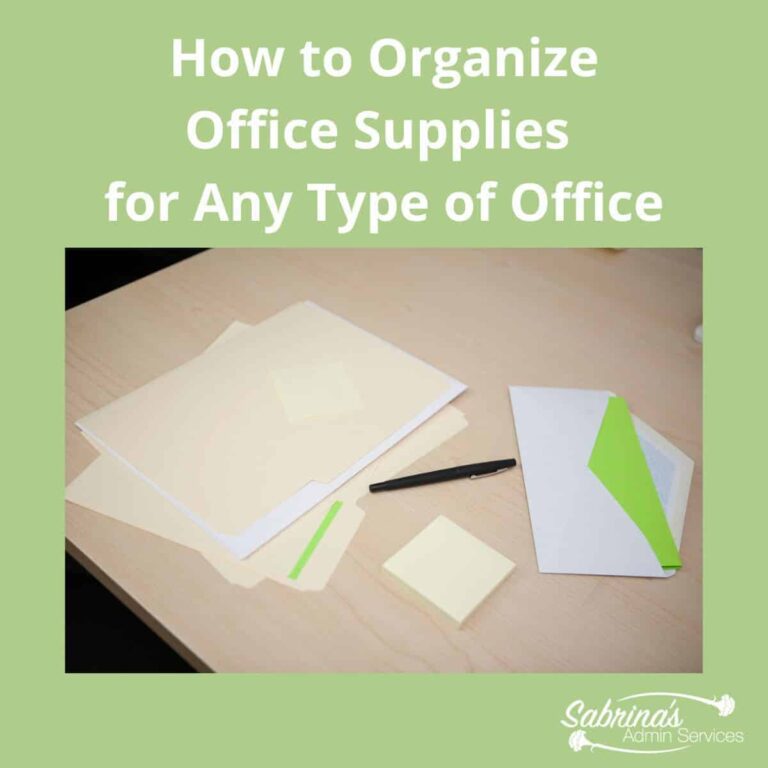
How to Organize Office Supplies for Any Type of Office
Every business has an office supplies area. Whether it is inside a closet or a large room, this area can easily get disorganized with daily use.
Inspiring Posts About Simplifying Your Invoicing Process
While I would love for your business to hire me to help with your invoicing, you can handle it yourself with these easy tips. You can minimize the expense of this process by doing it yourself.
2026 Invoicing Tips to Get Paid Faster:
- Invoice immediately. Send invoices the same day you complete a project or service. The longer you wait, the longer you wait to get paid.
- Set clear payment terms upfront. Spell out your payment due dates, late fees, and accepted payment methods in your contract and on every invoice. Clarity prevents delays.
- Use automated invoicing software. Tools like Wave (free), QuickBooks, or FreshBooks (affiliate) can auto-send invoices and reminders, so you spend less time chasing payments.
- Offer easy payment options. The more ways a client can pay you — credit card, ACH, PayPal, Venmo — the faster they’re likely to do it. Remove friction from the payment process.
- Follow up at 3 days past due, not 30. Set a reminder to follow up on unpaid invoices within 3 days of the due date. An early friendly nudge is far less awkward than a collections conversation later.

Solutions to Help You When A Customer Does Not Pay Your Invoices
Sending out invoices can be pretty easy when everything, like client information, account numbers, and other details, is the same.
9 Things Every Owner Needs To Know About Accounts Receivable
Everyone wants to be paid for their services, right? We don’t like to call the client daily to remind them to send the check.

Simple Tips to Organize Your Startup’s Invoice Process
I was working with a client to set up an invoice system to speed up the monthly invoicing process.
Solutions to Help You When A Customer Does Not Pay Your Invoices
Sending out invoices can be pretty easy when all client information, account numbers, and other details are the same.
By looking at these areas and improving your systems, you will be able to speed up the process and, as a result, help reduce the cost of doing these tasks. Feel free to share these posts with your colleagues (affiliate) and clients.
FAQs for how to save money in your business in 2026
A general rule of thumb is to keep three to six months of operating expenses in a business emergency savings account. This covers essentials like software subscriptions, contractor payments, and any fixed costs during slow seasons or unexpected disruptions. Start small if needed — even setting aside a fixed amount each month builds a healthy cushion over time.
Start with recurring subscriptions and software tools you no longer use actively. Then review your marketing spend — many free or low-cost tools can replace paid ones. Other quick wins include going paperless to reduce supply costs and batching tasks to reduce the time (and money) spent on inefficient workflows.
Yes — when done strategically. The key is to outsource tasks that take you longer than they should or that fall outside your expertise. If a task takes you two hours but a virtual assistant can do it in 30 minutes, the math works in your favor. Start with one small task and scale from there as your budget allows.
At a minimum, review your budget quarterly. However, a quick weekly check-in — even just 15 minutes — helps you catch overspending early before it becomes a bigger issue. Major life or business changes, like landing a large client or losing one, are also good triggers for an immediate budget review.
Not at all. Free tools like Wave handle invoicing, expense tracking, and basic reporting well for most solopreneurs and small business owners. As your business grows and your needs become more complex, you can upgrade to a paid platform like QuickBooks or FreshBooks. The most important thing is that you are consistently tracking your income and expenses — the tool itself matters less than the habit.
Below are some other online articles to help you save money in your business.
12 Smart Small Business Tax Strategies That Will Save You Money by USChamber
17 Unconventional Money-Saving Tips For Small-Business Owners by Forbes
Full Disclosure: If you click on these Amazon (affiliate) products and buy something on Amazon (affiliate).com, I will receive a small commission at no additional cost to you. Thank you for supporting my small business.