This page is your one-stop shop for small business resources — tools, apps, and services solopreneurs and small teams (1–5 employees) actually use. Not sure where to start? Jump to what’s slowing you down right now:
Not sure where to start? Jump to what’s slowing you down right now:
What resources does your business need to get started?
Key Takeaways
- This article provides essential Small Business Resources for solopreneurs and small teams, including tools and apps.
- At a minimum, small businesses need reliable hosting, bookkeeping software, a social media scheduling tool, and an effective filing system.
- The article offers solutions for common pain points such as social media management, bookkeeping, file organization, and time management.
- Readers can access affiliate links for recommended services like Adobe Express, QuickBooks, and various email marketing tools.
- Additionally, the article emphasizes the importance of having a well-organized website and offers resources for optimizing online presence.
Disclosure:
I have used some of these services, and some are affiliate links.
Before buying any of these services, you should consider the following:
1. If it works for your particular industry.
2. If the company has a good customer service reputation.
3. If you can afford this service in the long term.
These are affiliate ads, and I receive a referral fee if you decide to purchase a service or product through the links below.
What resources does a small business need to get started?
At minimum, a solopreneur or small business needs reliable hosting, bookkeeping software, a social media scheduling tool, and a clear paper/digital filing system. Everything below is organized by the problem it solves so you can jump straight to what you need.
Overwhelmed by Social Media & Marketing
How do you create hashtags?
How to Create Your Business Hashtags List to Stand Out
These affiliate services will help you increase engagement with your posts and share your content on Pinterest and Instagram. Scheduling is key. No one wants to be online 24/7. This will help you schedule and show you stats on how it goes.
Having a place to develop new content images is very helpful for refreshing existing posts and keeping your social media shares fresh. Updating images and old content will make older posts feel new again and give them a fresh look. Some apps make it easy for you to do this. Below are my favorite affiliate and non-affiliate companies.
Adobe Express is an excellent option for creating templates and bulk posts for sharing older or new content on social media. This app is available on Google Play and Apple. There is a free plan and two premium plans: monthly and yearly. You can also create images using GenerativeAI with this application.
Tailwind has an excellent AI option. They call their AI Ghostwriter, and it will help you write copy for posts and social media across various platforms.
Designing and scheduling fresh Pins can take hours, then scheduling them takes time. Time You Don't Have! With Tailwind, it takes minutes.
Try their free version, then check out their paid version, which gives you so much more!


Need help with your creative content for social media? Visit our Social Media Marketing and Online PPC Services!
Behind on Bookkeeping & Invoicing
Need help setting up your accounts receivable process?
Simple Tips to Organize Your Start Up’s Invoice Process 7 Startup Bookkeeping Tips You Need to Know
Bookkeeping management is essential for your business. You can use applications like Quicken (affiliate), QuickBooks Online, and FreshBooks (affiliate), as well as the ones listed below, to help manage your transactions. Some features you may want to find are:
- Make sure you have a time-tracking app.
- Have a payroll billing service add-on option.
- If you have employees, ensure you have a human resources representative to help you manage them.
- Easy onboarding process to get set up.
- An easy way to access your account.
- Ask them how they keep your stuff secure.
If you’re looking for information on payroll companies and how they operate, check out my post below for support.
I worked with sole proprietors and small business owners with 1 – 5 employees. However, many small businesses employ more than five employees. This post talks about how to find a payroll service company that works with businesses with more than 5 employees.

How to Pick a Payroll Service for your Business
I work with sole proprietors and small business owners with 1 – 5 employees. But many small businesses have more than five employees. You must find a larger payroll service professional for larger small businesses.
We earn a commission if you make a purchase, at no additional cost to you.
Do you not want to do the bookkeeping task for your business? Check out our Pennsylvania USA Bookkeeping Services.
Manage your financial life and achieve more. Try Quicken for 30 days with our money-back guarantee. Products To Help You Manage Your Money:
Quicken Simplifi - Great for personal tracking
Quicken Business & Personal - perfect for mobile users strictly
Classic Quicken for Windows and Mac - Ideal for laptop users and convenient for viewing on the go.

Disorganized Files (Paper & Digital)
And we can’t forget the last Small Business Resources to support your paper and digital file systems. As business owners, we must manage both digital and paper files to keep our office organized. To help you manage the growing number of digital and paper files across your desk (affiliate), below are my favorite round-up posts to support you and your business.
Here is how to organize paper and digital files.
How to Create a Well-Organized Small Business Bookkeeping Binder
How organized are your small-business bookkeeping records? Are they all in one place, or are they in files in a filing cabinet? There are benefits to creating a well-organized small-business bookkeeping binder, as I will discuss today. Five Benefits of Making a Well-Organized Small Business Bookkeeping Binder. First, it lets you keep all your business papers
The Best Practices for Digital and Physical Filing Systems
Digital and physical filing systems can be difficult for new business owners. I created this FREE ebook to help your filing systems stick even as your business grows.
How to Make a Digital Bookkeeping Binder
Each business must manage receipts, including bills, confirmation forms, and statements. We have previously discussed a paper bookkeeping binder and how to organize it.
How to Easily Spring Clean Small Business Digital Files
Feeling overwhelmed with all your digital files? Springtime is a great time to review all your digital files on your computer and compare them to the cloud files.

Solopreneur Microsoft OneNote Digital Notebook Tips
What do you use to manage your posts, ideas, projects, client files, business research, etc? Do you want to go paperless? Do you want to be able to search your records and ideas easily?

How to Make a Well-Organized Business Digital Receipt Organizer
Now that almost all businesses do transactions digitally, it’s a great time to organize your digital receipts. This post will provide everything you need to set up a digital receipts organizer, allowing you to access your important documents when tax time rolls around.
Want a second set of eyes on your systems? See our Process Improvement Service →
No Time / Can’t Stay on Track
Whether you are a small business owner with employees or a solopreneur, making time is essential to saving money and energy. Some of the posts below will assist with that. Feel free to check them out. The sites I mention in this section will provide you with resources to help you manage your time more effectively, using both large and small planners to achieve a better work-life balance. Remember that every person has a unique way of managing their time, and there is no one-size-fits-all approach. You usually need to find, with trial and error, which way works best for you.
On the blog, I share productivity tips I’ve found that have helped improve my clients (affiliate)‘ work and my small business. I also focus on time management to help them block off time for the important things they need to do (click here to see all posts about time management).
Below are posts to help you with productivity and time management.
5 Ways to Outsource Work to Save You Time and Money
There are many ways to outsource work for your small business when you feel you are just spending way too much time and money doing it yourself.

Digital Business Life Balance: Setting Healthy Boundaries
You started your business to gain freedom. Freedom to be your own boss, set your own hours, and build something that truly reflects who you are.

Solutions to Deal with Distractions when working from home
We love our children, but being professional is essential too. We need to set some rules to help them understand responsibilities. Giving them 100% attention is also important.

Time Blocking Tips To Keep You Focused in Your Business
Time blocking your day works well for small business owners and solopreneurs, and it helps you see what you have done throughout the day. It also stops you from getting lost in non-urgent tasks.
Planners
Tired of experimenting with different planners to keep yourself organized? These are ones I used over my many years in business and found helpful in various stages of my career. Below are companies to explore for planner purchases. If you have employees, share these companies with them so they can find the ones that best suit their needs.
Planner and Time Blocker Options
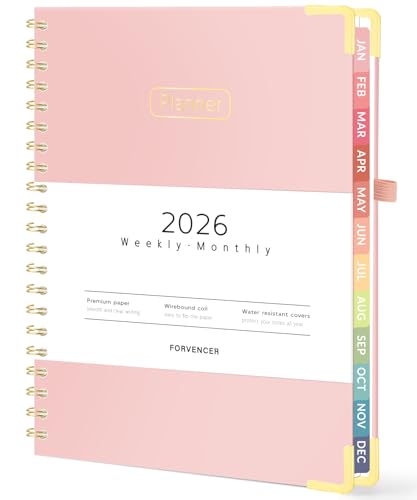 Buy Now →
  Buy Now →
 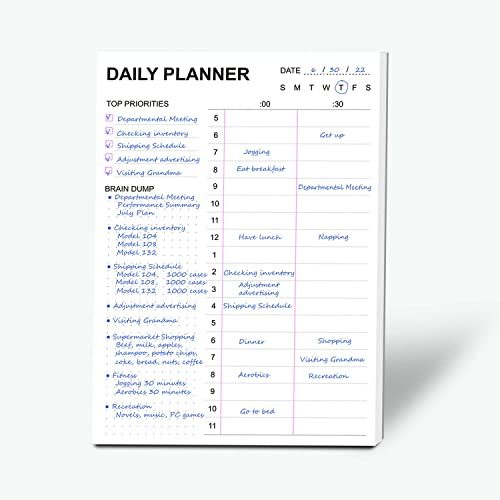 Buy Now →
 (affiliate)
Have you hit a brick wall trying to find solutions to help your business? Our one-time or recurring virtual admin consultation services can provide you with valuable insights and ideas.
Website & Blog Needs Work
Do you want to start a blog?
14 Questions to Ask Yourself Before Starting a Business Blog
The first Small Business Resource you will need is a hosting company.
Having a website is essential in today’s digital landscape. It needs to be well-organized, customer-friendly, and not aggravate potential employees. The hosting company will host your website on its servers, making it accessible to the world. Choose a hosting company that helps you get set up and has a secure, reliable, and fast network. Make sure that their customer service is available 24/7 as well. Below are four hosting companies you may want to consider depending on your business.
Top 4 Hosting Companies for Small Business Websites
| Host | Starting Price | Best For | Key Features |
|---|---|---|---|
| Bluehost | ~$2–3/mo intro | Beginners & first-time WordPress sites | Officially recommended by WordPress.org, known for ease of use and affordability, with AI site-building tools and free first-year domain Bit Integrations |
| WP Engine | ~$23–30/mo | Established sites needing managed WordPress hosting | Leads managed hosting with strong uptime and fast edge-cached page speeds; InCreativeWeb daily backups, built-in security, hands-off maintenance |
| Hostinger | ~$1.79–5/mo | Budget-conscious solopreneurs | Strong speed and uptime with the highest inode limits in shared hosting, InCreativeWeb good for small-to-medium sites |
| SiteGround | ~$2.99/mo intro | Owners who want speed + strong support without full managed pricing | Rated for faster speed and better security among small-business-focused hosts Bluehost |
Quick framing for the page: Bluehost/Hostinger = cheapest entry point; SiteGround = step up in speed/support; WP Engine = “graduate here once traffic or e-commerce needs grow.”
Looking for great keywords for your industry will help you direct your website to the right customers. The providers below will help new small business bloggers identify the right keywords and other essential statistics before spending time writing their posts.
Semrush (affiliate) is another more robust option when you need more specific information.

Check out Grammarly to help you and your blog stay on top of getting your point across and keeping your conversations clear for visitors and customers.
It may be unprofessional if you have a typo or are unclear in your posts or emails. So, this service will help you edit your emails, Word documents, and browser comments. Grammarly is one of my favorites. It has helped me catch typos and make my writing easier for visitors to understand.
If you are a blogger who loves trying fun, handy plugins, check out the ones below for specific purposes.
WPTasty Plugin
The WPTasty Plugin (affiliate) offers several products and bundles (the link above is for the bundle) that give you access to all of them. This takes the blog to a different level for your users.
- Tasty Recipes (affiliate) for Recipe Cards
- Tasty Roundups (affiliate) for the collection of posts
- Tasty Links (affiliate) for affiliate links
- Tasty Pins (affiliate) for Pinterest Pinning
Yoast Plugin
The Yoast Plugin offers a free version and a premium version, which helps you with your website’s or blog’s SEO (affiliate) needs. They also have add-ons you can use to make your SEO (affiliate) experience more user-friendly. Not an affiliate.
The Easiest Plugins for Bloggers... Without the High Costs
The Suite Includes Recipes, Roundups, Links, and Pins

Office Products
Checks and other paper products are essential to businesses. If your business still relies on paper, consider using this company to help you obtain the best office supplies available.

Deluxe >>> 15% off first order of Writing Instruments
Buy Now →
Deluxe >>> 40% off Business Forms
Buy Now →(affiliate)
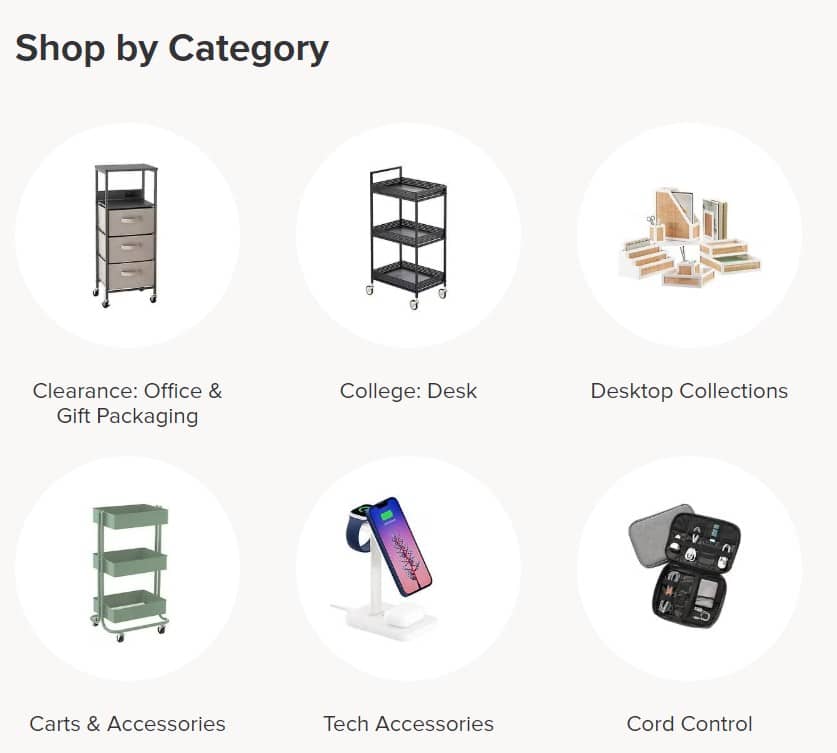
Struggling with Clutter in Your Office? It may be because you need more storage space. The Container Store has a dedicated section for business owners with offices, from label makers to custom office spaces. Check it out here.
Not Sure What You Need?
If you’re not sure which resource or service fits your situation, book a free discovery call and we’ll help you figure out what to tackle first.
Also need resources to keep you on top of business topics? Small Business Newsletters to Keep You Ahead of the Game
Feel free to sign up for our newsletter for weekly updates from our blog.
Check out Grammarly (affiliate) to help you and your blog stay on top of getting your point across and your conversations clear to your visitors and customers.
Grow Your Email List
Small Businesses need an email list. It is essential to disseminate information about new activities, products, services, and announcements to keep everyone informed. Below is one I have used, and others are popular as well. These are not affiliate links.
FAQ: Small Business Resources
At minimum: reliable hosting, an email newsletter platform, a bookkeeping app, and a social media scheduler. Everything on this page is organized by the problem it solves so you can start with whichever is most urgent.
Bluehost is the better starting point for new or budget-conscious sites; WP Engine is worth the higher cost once your traffic or e-commerce needs grow and you want fully managed hosting.
Mailchimp, MailerLite, and Constant Contact all offer free tiers suitable for small lists — upgrade once your subscriber count or automation needs grow.
Look for time tracking, easy bank syncing, and (if you have employees) payroll integration — QuickBooks Online, FreshBooks, and Quicken all cover these basics differently, so match the feature list to your actual needs.
Many solopreneurs start DIY and delegate once it eats too much time. If you’re at that point, book a discovery call to see which service fits.
Connect with me!
Feel free to sign up for our newsletter for weekly updates from our blog.
General sign up newsletter
Subscribe to stay in touch.
If you are want to purchase one or more of my services, feel free to review my brief list of recurring administrative services here.
Related Posts

Thanks for visiting my Small Business Resources page.
If you are looking for tips on administrative tasks for your startup, below are some links to our blog posts that may help with your next administrative task.
Do you want to start a blog?
14 Questions to Ask Yourself Before Starting a Business Blog
Do you need resources to keep you on top of business topics?
Need help setting up your accounts receivable process?
Simple Tips to Organize Your Start Up’s Invoice Process
7 Startup Bookkeeping Tips You Need to Know