Does any of this sound familiar? A client emails a simple question, and three people on your team all look at each other. A task that was supposed to be done last Tuesday? Nobody realized they were the ones responsible for it. Sound familiar? You’re not alone — and it doesn’t mean your team isn’t capable. It usually just means nobody ever sat down and defined who owns what. That’s why having a Roles and Responsibilities Chart for Your 1–5 Employee Business can be a game-changer.
That’s exactly what a roles and responsibilities chart fixes. And you don’t need a corporate HR department or expensive software to build one. You can get it done in an afternoon.
Today, I’m going to walk you through how to create a Roles and Responsibilities Chart for your 1–5 Employee Business. This can also be applied to entrepreneurs who have subcontractors to keep task communication clear. Let’s get into it.
Roles and responsibilities may sound too corporate these days, but it is very important to have them established even in small businesses.
Estimated reading time: 11 minutes
Topics
- Background
- What You Actually Need to Get Started
- The Simple Scope of Work Layout That Actually Works
- Step-by-Step: Building Your Duties and Expectations Chart in One Sitting
- Common Mistakes That Sabotage Your Roles and Responsibilities Chart for Your 1–5 Employee Business
- How to Actually Use This Chart After You Build It
- Frequently Asked Questions
Key Takeaways
- A Roles and Responsibilities Chart for Your 1–5-Employee Business helps define ownership and accountability, preventing confusion about tasks.
- You can create your chart in a simple spreadsheet, listing tasks, team members, and assigning clear responsibilities.
- Use codes such as R (Responsible), A (Accountable), S (Supportive), and I (Informed) to clarify task ownership.
- Regularly update the chart to reflect changes in responsibilities and ensure it remains useful for the team.
- Place the chart in a visible location and reference it during meetings to maintain clarity and accountability.
Background
While working as an office manager for a multimillion-dollar safety consulting company some years ago, I quickly learned that defining precise roles and responsibilities was the only way to keep a small team organized. I managed 3 employees and over 12 subcontractors, who were all competing for our attention and resources. So, I sat down with my team and had them write out everything they actually handled for the week. This gave us a good idea of their tasks. Keep in mind, this was when the company was growing fast, and we were all getting confused about who did what, so we had to stop and get this done first before we did anything else. From there, we built an official document that made it crystal clear who did what.
The result? People stopped going to the wrong person. And, honestly? It protected my team’s sanity, too. Nobody wants to feel like the “yes” person just because they’re the most agreeable one in the room.
What You Actually Need to Get Started
You probably think you need special software or some complicated system to pull this off. Nope. Here’s all you need:
- A simple spreadsheet or Google Sheet – Google Sheets wins for collaborative editing
- A list of every task category in your business – think client onboarding, project delivery, invoicing, marketing, admin, and anything else your team regularly handles
- Names of everyone on your team – including yourself, even as the owner
- 90 minutes of focused time – you’ll likely finish faster than you think.
- Input from your team members – optional, but incredibly helpful for accuracy.
That’s it. No consultants. No six-week rollout plan. Just clarity on paper.
The Simple Scope of Work Layout That Actually Works
Most role charts fail because they’re too complicated. The structure that works for micro-businesses is refreshingly simple.
- Your column is for people’s names.
- The rows are for task categories.
- The cells are who does what.
Here’s the exact layout:
Column A: Task or Function (examples: Client Onboarding, Content Creation, Invoicing, Customer Support, Marketing Campaigns)
Columns B through F: Team Member Names (one column per person, including you)
Inside each cell, use these codes:
- R = Responsible (this person does the work)
- A = Accountable (this person makes sure it gets done and handles final decisions, usually the owner)
- S = Support (this person helps when needed)
- I = Informed (this person needs to know it happened, but doesn’t do the work)
The most important rule: only ONE person gets an R per task. If two people share an R, that’s where confusion lives. One person owns it. Others can support, but ownership has to be clear.
This layout takes about 10 minutes to set up and instantly clears up most “I thought you were handling that” conversations.
Simple Design Layout for Your Roles and Responsibilities Chart
Making it look pretty is not the point of this exercise; the point is to make it usable for everyone who needs to use it. Sticking with a few colors or color-coding the columns for each person is easy enough to understand. Below are some websites with examples of ones that are simple and easy to follow.
Team Roles and Responsibilities by Workshop Bank
Powerslides Roles & Responsibilities
Why “Accountable” Belongs to You
As the business owner, your job is to be Accountable (A) — not Responsible (R) for everything. If you have an R in most of your chart’s cells, you’re not delegating. You’re documenting your own burnout. When you shift to being the person who ensures tasks get done rather than the person always doing them, your business starts running more smoothly, and so do you.
Step-by-Step: Building Your Duties and Expectations Chart in One Sitting
Now you’re ready to fill it in. Don’t overthink it. Speed matters more than perfection right now.
First, list every major function in your business down Column A. Think in categories, not individual tasks. Instead of “send invoice to Smith account,” write “Client Invoicing.” Instead of “write Instagram post for Tuesday,” write “Social Media Content.” Aim for 8 to 15 rows for a micro-business.
Next, add your team member names across the top. Include yourself, part-time people, and contractors who handle recurring responsibilities. If someone regularly touches your business, they get a column.
Now, go row by row and assign letters. For each function, ask:
- Who actually does this work day-to-day? That person gets an R.
- Who makes final calls or ensures it’s done right? That’s A (often you).
- Who jumps in to help during busy times? That’s S.
- Who just needs a heads-up when it’s complete? That’s I.
Next, look for gaps and overlaps. Scan your chart. Any row without an R? That’s a task nobody owns (fix that immediately). Any row with multiple Rs? That’s where miscommunication happens (pick one owner). Any person with 12 Rs and everyone else has two? Your workload is lopsided (time to redistribute).
Step 5: Share it with your team and adjust. Send the chart to everyone. Ask: Does this match reality? Did I miss anything? Do you feel clear about what you own? Make tweaks based on feedback. This isn’t a decree from the top. It’s a shared agreement.
You’ll have a working draft in under an hour. Refinements happen over the next week or two as you all use it.
What to Do When Someone Has Too Many Rs
If you scan the chart and one person is drowning in responsibilities, that’s a red flag. It might be time to redistribute tasks, bring on a subcontractor for specific functions, or use your chart to map out what your next hire should actually be responsible for. Your chart doesn’t just show you where you are — it tells you where you need to go.
Common Mistakes That Sabotage Your Roles and Responsibilities Chart for Your 1–5 Employee Business
Even with a simple system, people mess this up in predictable ways.
Mistake 1: Making yourself Responsible for everything.
If you have an R in 90% of the cells, you’re not delegating. You’re just documenting your burnout. Your job as the owner is to be Accountable, not Responsible for every single task.
Mistake 2: Using vague function names.
“Operations” means nothing. “Client Onboarding” is clear. “Marketing” is too broad. “Email Newsletter” and “Social Media Posting” are specific. The clearer your row labels (affiliate), the less confusion exists.
Mistake 3: Creating the chart and never updating it.
Your business changes. Someone takes on a new responsibility. You hire a fourth person. A contractor stops working with you. If your chart isn’t updated within a week of any change, it becomes a useless decoration.
Mistake 4: Assigning two Responsible people to one task.
Shared responsibility is effectively no responsibility. One person owns it. The other supports. This is the most important rule in the entire system — and the most commonly broken one.
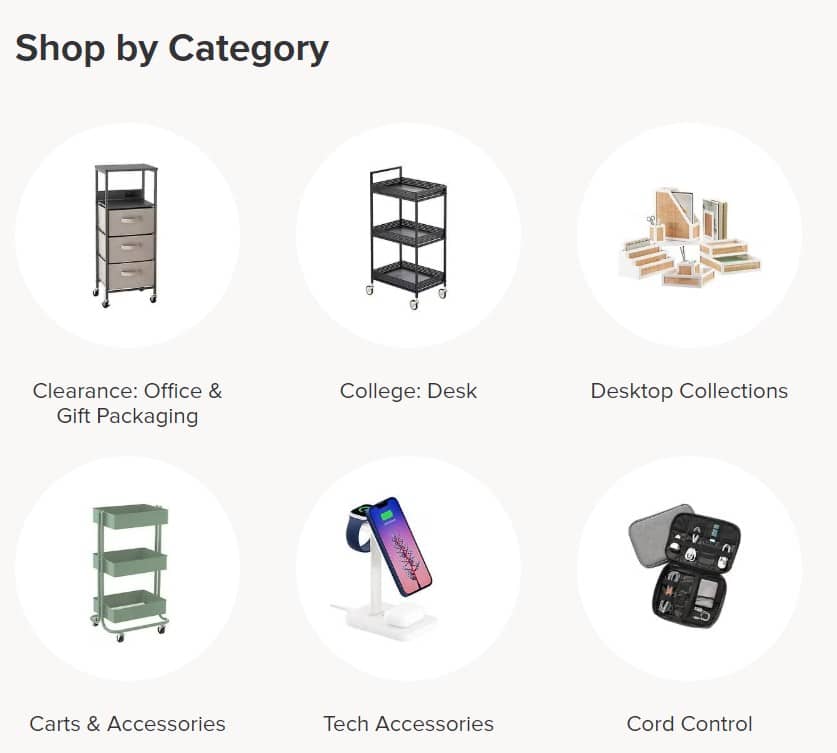
Struggling with Clutter in Your Office? It may be because you need more storage space. The Container Store has a dedicated section for business owners with offices, from label makers to custom office spaces. Check it out here.

How to Actually Use This Chart After You Build It
A chart nobody looks at is a waste of a good afternoon.
Make it part of your workflow.
When confusion pops up about who handles something, point to the chart. Then, when you’re about to bring someone new on, use the chart to show them exactly what they’ll own. And, when a team member asks, “Should I handle X?” — check the chart together.
Put it somewhere everyone can see it:
- Pin it in your team’s communication channel, like Slack
- Link it in your onboarding docs for new hires
- Reference it in weekly team meetings when assigning new projects
- Review it quarterly, yearly, depending on the workload, and update as responsibilities shift
Use it to guide hiring decisions, too. When you’re ready to bring on person number four or five, look at your chart and find where the overload is. That tells you exactly what role you need to fill — no guessing required.
You just built something most small businesses never have: a clear, visual answer to “who does what” that eliminates confusion and makes accountability feel automatic. It will help you when you grow, as it did for my team and me. Update Roles and Responsibilities Chart for Your 1–5 Employee Business when roles shift, reference it when questions pop up, and watch how much faster decisions happen when everyone knows exactly what they own.
Need help mapping out your team’s roles and responsibilities?
Feel free to check out my Virtual Admin Consulting services. I’d love to help you walk through this process and build a stable foundation for your team.
Frequently Asked Questions
A roles and responsibilities chart is a simple document, usually a spreadsheet, that lists each person on your team and their responsibilities. It removes the guesswork, so everyone knows who owns what without having to ask every time.
Actually, small teams need this more, not less. When a team is tiny, it’s easy to assume everyone just “knows” who handles what. But those assumptions are exactly where tasks fall through the cracks. A simple chart makes implicit expectations explicit, and that’s true even for a two-person operation.
R.A.S.I. stands for Responsible, Accountable, Supportive, and Informed. These four codes are assigned to team members for each task or function in your business, so it’s immediately clear who does the work, who ensures it’s done, who helps out, and who just needs to be kept in the loop.
Aim to review it at least quarterly. But any time your team changes, someone new joins, a contractor wraps up their work, or responsibilities shift, update the chart within a week. An outdated chart is just as confusing as no chart at all.
Absolutely. If a subcontractor regularly handles tasks for your business, they belong in the chart. This is especially helpful for preventing situations where your subs aren’t sure whether to bring questions to you, your admin, or someone else entirely.
Google Sheets is a great starting point because it’s free, easy to share, and lets multiple people view and comment in real time. Microsoft Excel works, too, if that’s what your team uses. You don’t need anything fancier than a well-organized spreadsheet.
Putting themselves as Responsible for almost everything. As the owner, your role is to be Accountable to ensure things get done, not to do everything yourself. If you see your name in most of the R cells, that’s a signal to redistribute, delegate, or think about your next hire.
Great question and an important one! The Responsible person does the actual work. The Accountable person ensures the work gets done and makes the final decision if something goes wrong. You can be Accountable for something you never personally touch, as long as you’re overseeing that it’s handled correctly.
Related Posts: